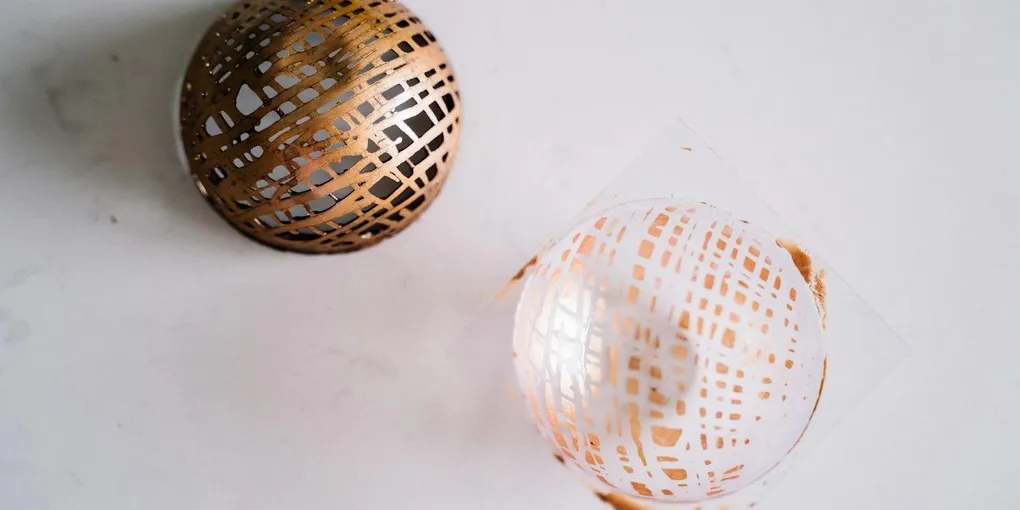
A transfer sheet can put a repeating pattern or logo onto a chocolate bar, bonbon or garnish. Clean release depends on the product, chocolate preparation, contact, cooling and handling. An incomplete print does not identify one definite mistake, and a heat-damaged sheet can also be the problem.
The most useful distinction is between applying liquid chocolate to a sheet and applying a sheet to a freshly coated piece. In both cases the printed side meets the chocolate promptly. The partly set stage comes later, when some decorations are cut or shaped; it is not a universal moment for first applying the print.
What Chocolate Transfer Sheets Are
The edible design is carried on a thin food-contact backing that is removed before serving. Many professional transfers use colored cocoa butter. However, American Chocolate Designs describes its inks as containing ingredients such as sugar and coconut oil. Nor is every backing chemically acetate: suppliers offer different plastics. Use the product’s specifications rather than treating “acetate” as a universal material identity.
With the intended chocolate or coating, the edible layer transfers from its carrier onto the finished surface as the product sets and is released. This does not require a story in which every ink fuses into an identical Form V cocoa-butter network. Different ink and fat systems are used commercially.
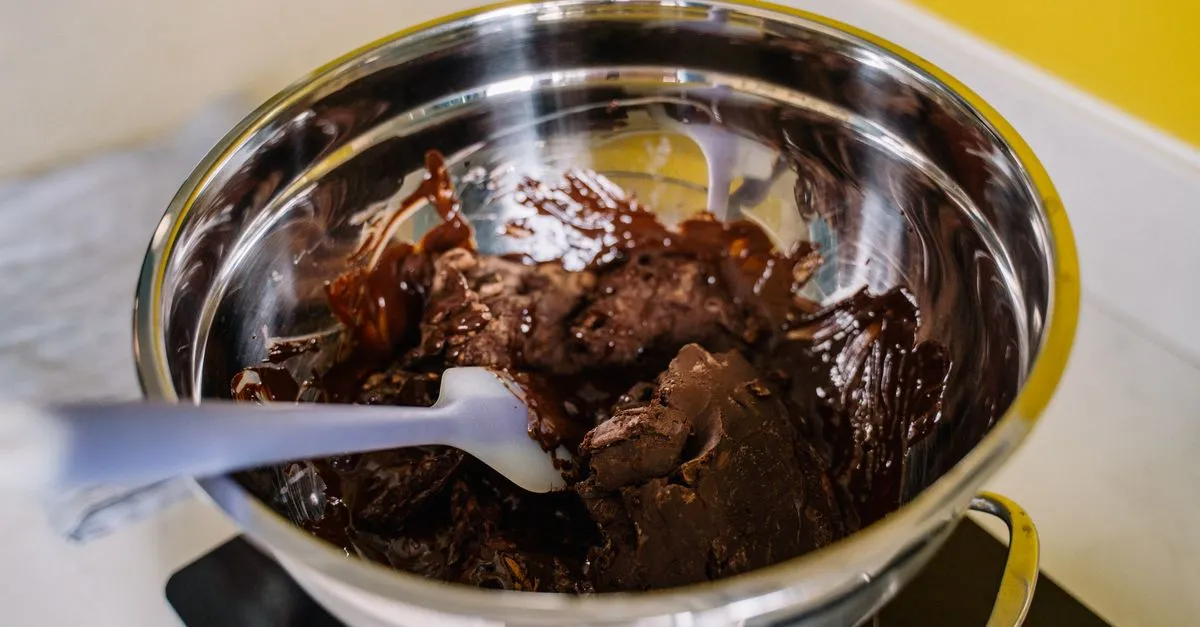
For cocoa-butter chocolate, proper tempering remains important to the desired set, gloss and release. If your chocolate won’t temper, resolve that before starting a large batch. Our how to temper chocolate guide explains the process. Compatible candy coatings are a separate case: Inkedibles’ transfer instructions expressly allow chocolate-flavored candy coating as well as molding chocolate. Prepare such a coating according to its own instructions, and confirm that the sheet supports it.
The film is a carrier, not an edible cake image. Check the specific sheet’s ingredient list, intended application and backing instructions.
Four Useful Chocolate Applications
These are common applications, not an exhaustive classification.
Bars and flat slabs. Put a sheet printed-side up on a level surface and spread prepared chocolate onto it, or use a transfer designed to fit the chosen bar mold. Thickness follows the mold or desired piece; all bars do not need to be 3–4 mm thick. “Bar wrapping” can be a confusing name for this: the carrier is removed, rather than left as packaging.
Bonbon caps and coated pieces. After sealing a filled shell as described in the bonbon shell molding guide, a suitable transfer can contact the still-fluid cap. It decorates that exposed cap, usually the underside after unmolding. Transfers can also go onto freshly enrobed chocolates or beneath dipped pieces. Place the printed face against the chocolate and avoid a deliberate waiting period.
Garnishes and shaped decorations. Spread a thin, even layer onto a printed-side-up sheet. For cut shapes, score or cut while the chocolate is partly set but still workable, then allow it to finish setting before removing the film. A finished hard slab is more likely to crack when you try to shape it. Curls and bands require shaping while flexible; they do not arise just by cutting a hardened flat sheet. Inkedibles’ linked instructions distinguish the cutting stage from final release.
Magnetic and other purpose-made molds. Magnetic molds with removable backing plates are a standard way to hold a cut transfer beneath the cavities. Position the unprinted side toward the plate and the printed side toward the chocolate. This is more precise than trying to fit a flat sheet into arbitrary curved cavities. Barry Callebaut’s illustrated tutorials show the magnetic-mold workflow in Tutorial 29. For surfaces a sheet cannot follow, colored cocoa butter or airbrushing offers another route.
Chocolate Temperature and Contact Timing
Use the maker’s instructions for both the chocolate and transfer sheet. A temperature appropriate to one couverture or printing system does not establish a universal transfer setting.
For example, Callebaut’s tempering guide gives conventional rewarming ranges of 31–32°C/87.8–89.6°F for 811 dark, 29–30°C/84.2–86°F for 823 milk, and 28–29°C/82.4–84.2°F for W2 white. These are named product examples. The guide also calls for a small temper test; a thermometer reading alone does not establish good temper.
The tempering calculator provides reference examples, not exact settings for every bean origin or couverture. The seeding-versus-tabling comparison explains why preparation steps vary with the method.
Make contact promptly. American Chocolate Designs advises no delay between coating and transfer application, and warns that a too-hot coating can blur its image. The correction for that problem is to use the suitable product temperature, not automatically wait another 20–30 seconds for the surface to go matte.
Cooling is a different stage. Supplier examples show why a universal 15–20-minute room-temperature peel is unreliable:
- PCB Création’s enrobing instructions place the transfer on chocolates leaving the enrober and specify at least two hours at 17°C/62.6°F before removal.
- Barry Callebaut’s Tutorial 26 gives 20 minutes at 12°C/53.6°F for its illustrated enrobed-chocolate application.
- Chef Rubber’s Color Me instructions emphasize allowing the chocolate to crystallize fully and cool before removing the transfer.
These are separate supplier methods, not interchangeable options to average into one rule. Piece thickness, filling, cooling conditions and the chosen sheet matter. Follow the relevant method and test a small piece before a production run.
Apply a Transfer Sheet Cleanly
Applying a Transfer Sheet
Choose the workflow before positioning the printed face
- 01
1. Prepare and cut
Use a food-contact transfer suitable for your chocolate or coating. Identify the printed side.
Cut to fit the mold or design; leave a grip edge where the application permits. - 02
2. Prepare the chocolate
Temper cocoa-butter chocolate according to its maker, or prepare a compatible coating as directed.
Test a small sample and use the sheet supplier's application instructions. - 03
3. Make contact promptly
Pour onto a printed-side-up sheet, or lay a sheet printed-side down on a fresh coating.
Do not wait for a matte surface before first contact. - 04
4. Ensure contact and shape
Press lightly where appropriate, avoid trapped air and keep the sheet from sliding.
Cut or bend decorations at their workable partly set stage, before final hardening. - 05
5. Cool and release
Follow the supplier's setting instructions, then support the piece and peel the backing carefully.
No universal 15-20-minute set, 30-degree peel angle or guaranteed tear-free result.
The printed face contacts chocolate in either orientation. Application happens promptly; cutting and final release happen later at different stages.
jayarrchocolate.com1. Prepare the sheet before the chocolate is ready. Cut with clean scissors or the tool recommended by the supplier. For a magnetic mold, make the sheet fit the plate correctly. For a free-standing slab, a bare edge can help you grip the backing later. Avoid unnecessary handling of the printed face.
2. Prepare and test the chocolate. Follow the product’s tempering or coating instructions. Check that the equipment and working surface are clean and dry. A small sample establishes whether your particular sheet, chocolate and cooling arrangement work together before you commit a large amount.
3. Establish the correct orientation. On a flat work surface, put the printed face up and spread the prepared chocolate over it. On an already coated piece, place the printed face down against the fresh coating. A sheet in a magnetic mold faces inward toward the cavities. “Always printed-side down” is not a useful universal instruction.
4. Make even contact without dragging. Apply a top sheet gently from an edge if that helps avoid trapped air, then press lightly as the application requires. Avoid sliding it over the chocolate or pressing so hard that the coating is displaced. Do not rub it vigorously with a warm palm. For pieces made on the sheet, spread evenly and deal with visible bubbles before the chocolate sets.
For cut or curved decorations, follow the supplier’s shaping method while the chocolate is workable. Keep the film attached through that stage. For irregular shards, the chocolate can instead set fully and be broken after release.
5. Cool, support and peel. Use the supplier’s cooling conditions. Test a corner or small piece first: the chocolate should hold its shape and release without smearing. Support thin decorations as you peel the backing away carefully. No measured 30-degree angle guarantees success, and contraction from mold walls is not a universal cue for a flat transfer slab. Remove all carrier film before serving.
Troubleshooting
Incomplete or faint transfer. Check orientation first, then contact, product temperature, application delay, cooling and the condition of the sheet. A cold or already setting coating may not transfer well; early peeling can also leave material on the backing. Out-of-temper cocoa-butter chocolate is another possibility, not a ranked diagnosis that applies to every product. Compare a fresh small sheet with the same batch of chocolate and change one factor at a time.
Smearing or blurred edges. Possible causes include excessive application temperature, movement after contact or handling before adequate setting. Follow the recommended temperature and minimize sliding. Do not fix every blur by delaying application until the chocolate goes matte.
Broken decoration or a damaged print during peeling. Check whether the chocolate was sufficiently set and supported, whether the decoration is too thin for handling, and whether the ink or film was damaged. Peel gently rather than forcing a piece that is still soft or sticking. The appearance alone does not prove a peel-angle error.
Gaps shaped like air pockets. Poor contact or trapped air is plausible. Improve placement and gentle pressure while the coating is fluid; extra force after setting cannot restore contact underneath.
A whitish coating after release. Bloom is not necessarily a temper failure. Callebaut describes sugar bloom as sugar dissolving in moisture and recrystallizing, while fat bloom can involve temper, filling-fat migration or storage conditions. Review the molding and unmolding guide and bloom prevention guide rather than treating every surface mark as the same fault.
A complete print looks muted. Chocolate background, opacity, color layering and sheet condition all affect appearance. White chocolate often provides a useful background, but every design is not automatically vivid on it. Chef Rubber’s guide expressly notes different effects with different chocolates and colors. Compare the supplier’s intended result before diagnosing an old sheet.
Storage, Sourcing and Custom Designs
Protect sheets from heat, moisture, direct light and damage; keep them flat in their protective packaging unless the supplier specifies another format. Use the labeled storage conditions and date for the actual sheet. A universal 18–22°C range and 12–24-month life do not describe every ink and backing.
Do not microwave a printed sheet to “refresh” it. If a cold shipment needs to reach working conditions, follow the supplier’s acclimation advice and protect it from condensation. Ordinary controlled acclimation is different from heating enough to melt or smear an image. Shipping heat damage is a real possibility; American Chocolate Designs discusses protective shipping for that reason.
Sources worth checking include PCB Création’s printed products, Chef Rubber’s transfer range, and American Chocolate Designs. These are supplier examples, not a hands-on quality ranking. Check the specific design’s ingredients and destination suitability: PCB’s linked product, for example, lists possible milk/soy traces and says it is not exportable to the USA. A brand name alone does not establish that every pattern is suitable for your order.
Marketplace searches can help locate products: PCB Creation transfer sheets, Chef Rubber transfer sheets, Designer Stencils product search, and general chocolate transfer sheets. Verify the actual listing, sheet count, dimensions and manufacturer documentation. A stencil, plain film or edible icing sheet is not automatically a chocolate transfer; a search link is not confirmation of a current product line or stock.
Custom-order costs depend on setup as well as sheet quantity. As checked on September 26, 2026, American Chocolate Designs lists 25 one-color, 10-by-11-inch custom sheets for $100, plus a $100 artwork setup fee per color, plus shipping and handling. For a new one-color design, that is $200 before shipping, or $8 per sheet. Reorders of the same design do not carry the same one-time setup charge under its stated terms. Get a current quote; this example is not an industry price range.
For your own printed artwork, use the supplier’s compatible transfer stock and a printer dedicated to edible ink. Lettering must be mirrored on the print/contact side to read correctly after transfer; Inkedibles specifies mirror-image printing. Confirm orientation in the proof rather than assuming that text viewed from either side of the film will transfer correctly.
A repeat logo can reinforce the identity on your craft chocolate labels, but transfers need not give every piece the same appearance. Cropping a large pattern, arranging several motifs or adding hand-applied color can vary the result. Chef Rubber’s Color Me system explicitly supports custom painting and layering. A transfer on the cap can also be paired with a colored cocoa-butter or airbrushed shell.
Some links above are affiliate links — if you buy through them, we may earn a small commission at no extra cost to you.
Frequently Asked Questions
- Can transfer sheets be reused?
- Treat a printed area as a single-use image: once its edible layer has transferred, it cannot reproduce the same complete design. Unused areas can sometimes be cut for another piece if kept clean and protected. Do not assume that any residual film is reusable for food or locally recyclable; follow the supplier and local material guidance.
- How long do transfer sheets last in storage?
- Follow the date and storage conditions for the particular sheet. Ink and backing systems differ, so one 12-24-month rule is not universal. Protect the print from heat, moisture, light and physical damage, and keep it in protective packaging. Shipping conditions matter as well as storage at home.
- Why is my transfer sheet only partially releasing?
- Possible causes include the wrong side facing the chocolate, insufficient contact, unsuitable temperature, application after the chocolate starts setting, early peeling, poor temper or a damaged sheet. Use the supplier's method, make prompt contact and compare a small test piece. A faint print cannot establish one cause or rank the possibilities reliably.
- Do transfer sheets work on white chocolate?
- Many do, and a light background can help show some designs. Follow the white chocolate and sheet instructions; there is no universal shorter contact window for white chocolate. Callebaut W2, for example, has a 28-29C conventional rewarming range, but that is a named product reference rather than a setting for all whites.
- Can I cut a transfer sheet to a custom shape?
- Yes, cut the carrier before application to fit the mold or design. Leave a grip edge if practical. For chocolate shapes made on the sheet, cut or bend at the workable partly set stage, then allow final setting before peeling. Custom lettering must be correctly mirrored for the finished orientation.
- What is the difference between a transfer sheet and plain acetate?
- A transfer sheet carries an edible design on a removable food-contact backing. Plain food-contact film has no printed edible layer and can provide a smooth surface or support shaping. Backing materials vary; neither every transfer nor every product called acetate has the same composition or application instructions. Compatible candy-coating transfers also exist.